
Privacy Policy
Last updated: April 5, 2026
Effective date: April 5, 2026
This Privacy Policy explains how Qpin Chat ("Qpin Chat", "the extension", "we", "our", or "us") handles information when you use the Qpin Chat Chrome extension.
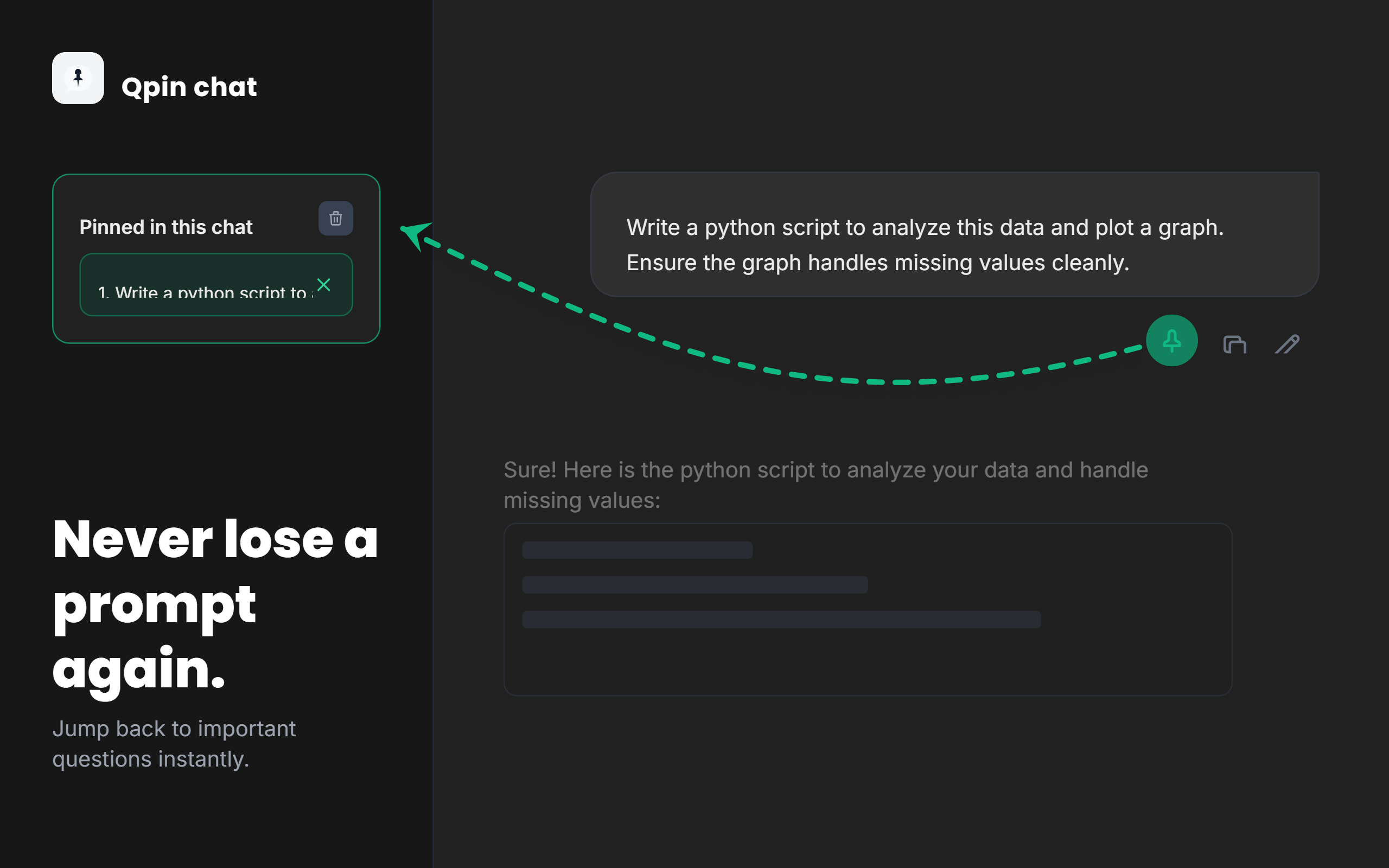
Qpin Chat is a browser extension designed to help users pin their own ChatGPT messages and quickly jump back to them within a conversation. We are committed to handling user data in a limited, transparent, and privacy-focused manner.
By using Qpin Chat, you acknowledge this Privacy Policy. If you do not agree with this Privacy Policy, you should discontinue use of the extension.
1. Scope
This Privacy Policy applies to the Qpin Chat browser extension and its use on the following supported domains:
https://chatgpt.com/*https://chat.openai.com/*
This Privacy Policy does not apply to websites, services, or products operated by third parties, including OpenAI or ChatGPT itself.
2. What Data Qpin Chat Handles
Qpin Chat does not collect account registration information, payment information, contact lists, cookies for tracking, advertising identifiers, or analytics data.
To provide its pinning and navigation functionality, Qpin Chat handles limited data from the ChatGPT page that is open in your browser. This may include:
- The text of your own ChatGPT messages that you choose to pin
- A generated identifier associated with the pinned conversation section
- The current chat path or conversation path used to associate pins with a specific chat
- A timestamp used to manage retention and automatic cleanup of saved pins
Qpin Chat is designed to target user-authored ChatGPT messages in the page interface and store only the minimum data needed to recreate pinned navigation behavior.
3. How the Data Is Collected
Qpin Chat collects data only when the extension is active on supported ChatGPT pages and only as needed for the extension's visible user-facing functionality.
The extension reads the relevant message text from the open ChatGPT page when you click the pin button on a message. That pinned data is then saved locally in your browser using the Chrome Storage API.
Qpin Chat does not require you to create an account, sign in to the developer, or submit information directly to us.
4. How the Data Is Used
Qpin Chat uses handled data solely to provide the extension's core functionality, including:
- Saving pinned message references for the current chat
- Rendering a local sidebar of pinned items
- Allowing you to jump back to a pinned message in the current conversation
- Restoring pinned references after page changes or reloads
- Cleaning up old or excess saved pins
Qpin Chat does not use handled data for:
- Advertising
- Profiling
- Marketing
- Analytics
- Sale of data
- Cross-site tracking
- Training models
- Any purpose unrelated to the extension's user-facing pinning feature
5. Storage and Retention
Qpin Chat stores pinned data locally on your device using chrome.storage.local.
Based on the current extension implementation, the extension applies the following storage limits:
- Up to 30 pins per chat
- Up to 300 total pins across chats
- Pin text truncated to 280 characters
- Automatic expiration of saved pins after 30 days
Pinned data remains on your device unless one of the following occurs:
- You remove an individual pin
- You clear pins for the current chat
- The extension automatically removes expired data
- You clear browser extension storage
- You uninstall the extension
6. Data Sharing and Third Parties
Qpin Chat does not sell, rent, trade, or transfer user data to third parties.
Qpin Chat does not transmit pinned data to the developer's servers because Qpin Chat does not use developer-operated servers for this functionality.
Qpin Chat does not share handled data with:
- Advertisers
- Analytics providers
- Data brokers
- Marketing platforms
- Third-party APIs for storage or processing
If disclosure is ever required by applicable law, legal process, or valid governmental request, we may comply to the extent legally required. As of the current extension implementation, Qpin Chat does not maintain a backend service that receives pinned user content.
7. Permissions Used
Qpin Chat currently requests the following Chrome permission:
- storage: used to save pinned message references locally in the browser so users can revisit them later
Qpin Chat also runs as a content script only on:
https://chatgpt.com/*https://chat.openai.com/*
This access is used only to provide the visible pinning and navigation feature inside the ChatGPT interface.
8. Security
Qpin Chat is designed to minimize data handling by keeping all pinned data processed locally within your browser.
The extension:
- Stores pin data locally rather than transmitting it to a remote backend
- Has no remote servers collecting, storing, or analyzing your pins
- Does not include remote code loading for its core functionality
- Uses only the minimum permission currently required for local pin storage
No system can guarantee absolute security. However, the extension is intentionally designed to reduce privacy risk by ensuring data is exclusively processed locally and avoiding any remote collection or external processing of pinned content.
9. Limited Use Disclosure
Qpin Chat handles limited data from ChatGPT pages only to provide its single user-facing feature: allowing users to pin their own ChatGPT messages and jump back to them within a conversation.
In connection with that feature:
- Data is used only for the pinning and navigation functionality requested by the user
- Data is not sold
- Data is not used or transferred for personalized advertising
- Data is not used for unrelated profiling or analytics
- Data is not transferred to third parties except if legally required
- We do not allow humans to read user data for unrelated purposes
10. Children's Privacy
Qpin Chat is not directed to children, and we do not knowingly collect personal information from children.
11. Changes to This Privacy Policy
We may update this Privacy Policy from time to time to reflect changes in the extension's functionality, permissions, or legal obligations.
If we update this Privacy Policy, we will revise the "Last updated" date shown above. Continued use of Qpin Chat after an update means the updated Privacy Policy will apply going forward.
12. Contact
If you have questions about this Privacy Policy or about Qpin Chat's data handling practices, you may contact:
Email: sthmudara@gmail.com
13. Summary for Chrome Web Store Disclosures
For convenience, the current extension implementation can be summarized as follows:
- Data handled: limited user-authored ChatGPT message text selected for pinning, chat path, generated pin identifiers, timestamps
- Data collection method: from the open ChatGPT page when the user pins a message
- Data use: local pinning and in-page navigation only
- Data storage: local browser storage via
chrome.storage.local - Data sharing: none
- Data sale: none
- Advertising use: none
- Analytics use: none
- Remote transmission to developer servers: none